As promised in our latest update in June, we have prepared the new public status pages.
Last update: 14th May 2021 (added Custom domains).
12th April 2021 (added Google Analytics and homepage URL).
11th December 2020 (added compact mode and floating bar).
Content:
- Improved management
- Next level customization
- Set up a Custom domain
- Subscribe for the updates feature
- Track your visitors using Google Analytics
- Change the linkable logo/name URL
- How can I add and remove password protection?
Fresh new design
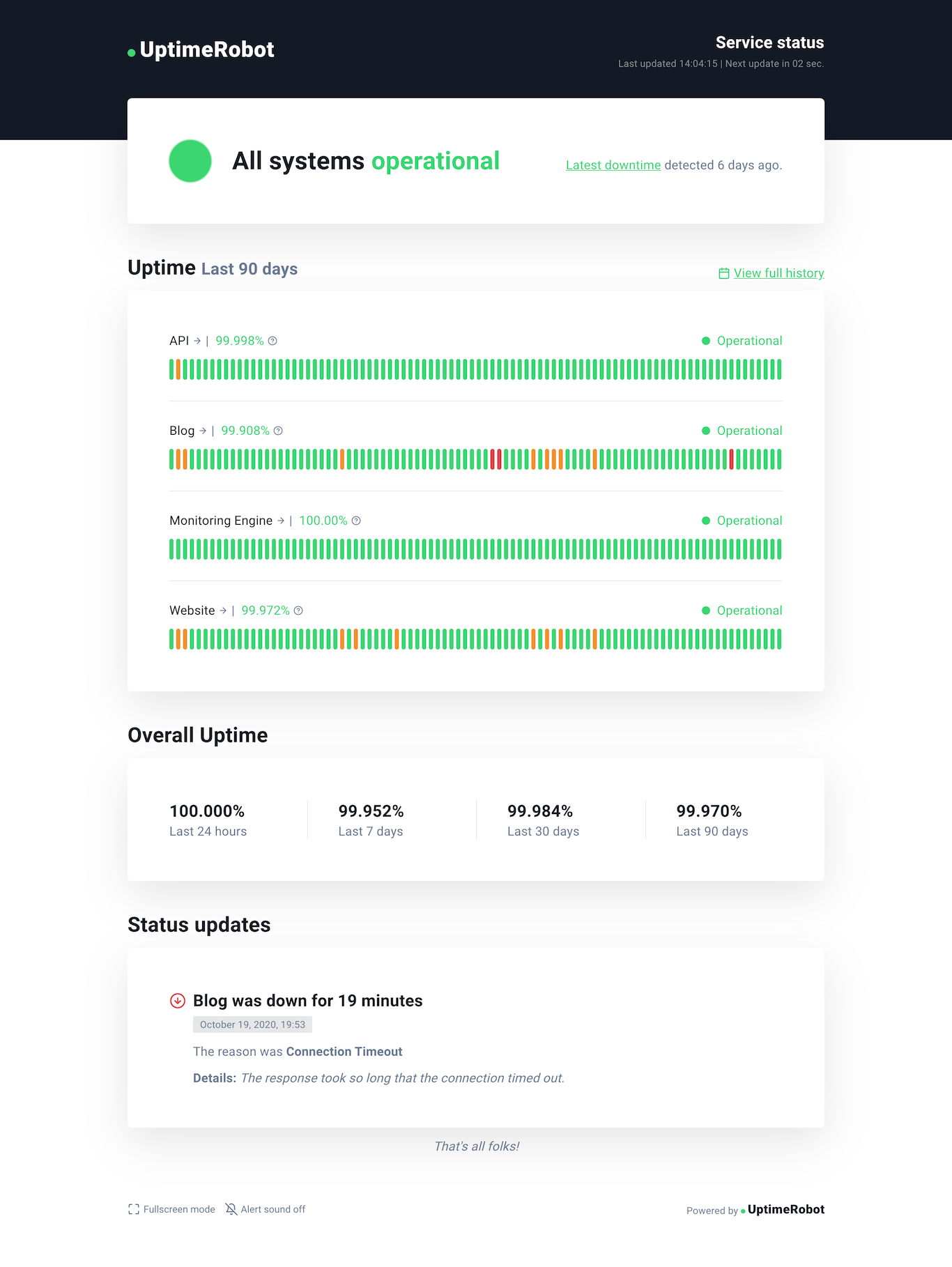
After we introduced our new brand identity (while keeping the original UptimeRobot spirit) the next step was to update the look of our status pages to match this new design language.
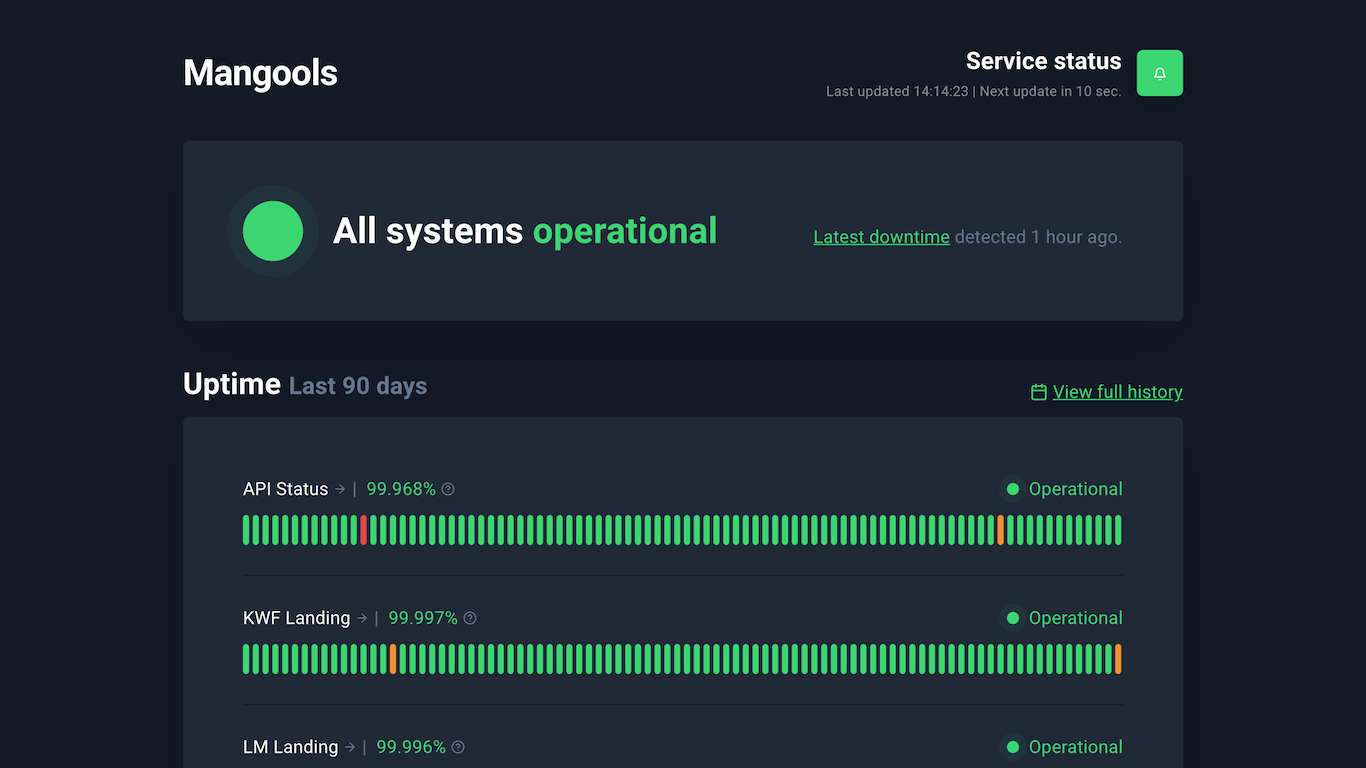
So, go ahead and take a look at our live demo or the screenshot below.
Improved management
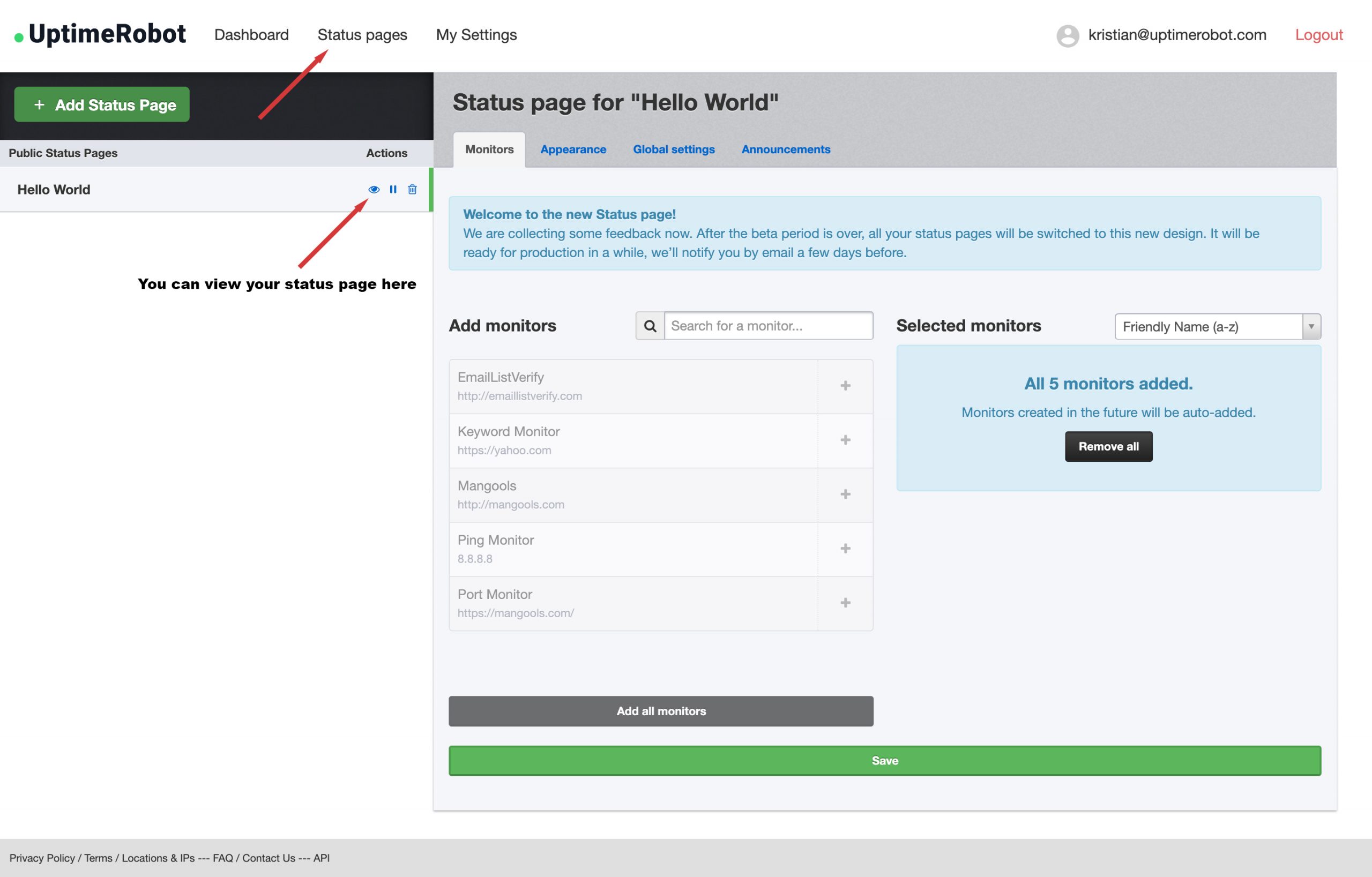
You will find a new “Status Pages” section after you log in. We moved the original embedded settings into a separate page to make the status page management much more convenient.
Click on the “eye” icon next to the status page name to see your existing status page in the new look. Adding and removing your monitors is also very simple and intuitive.
Next level customization
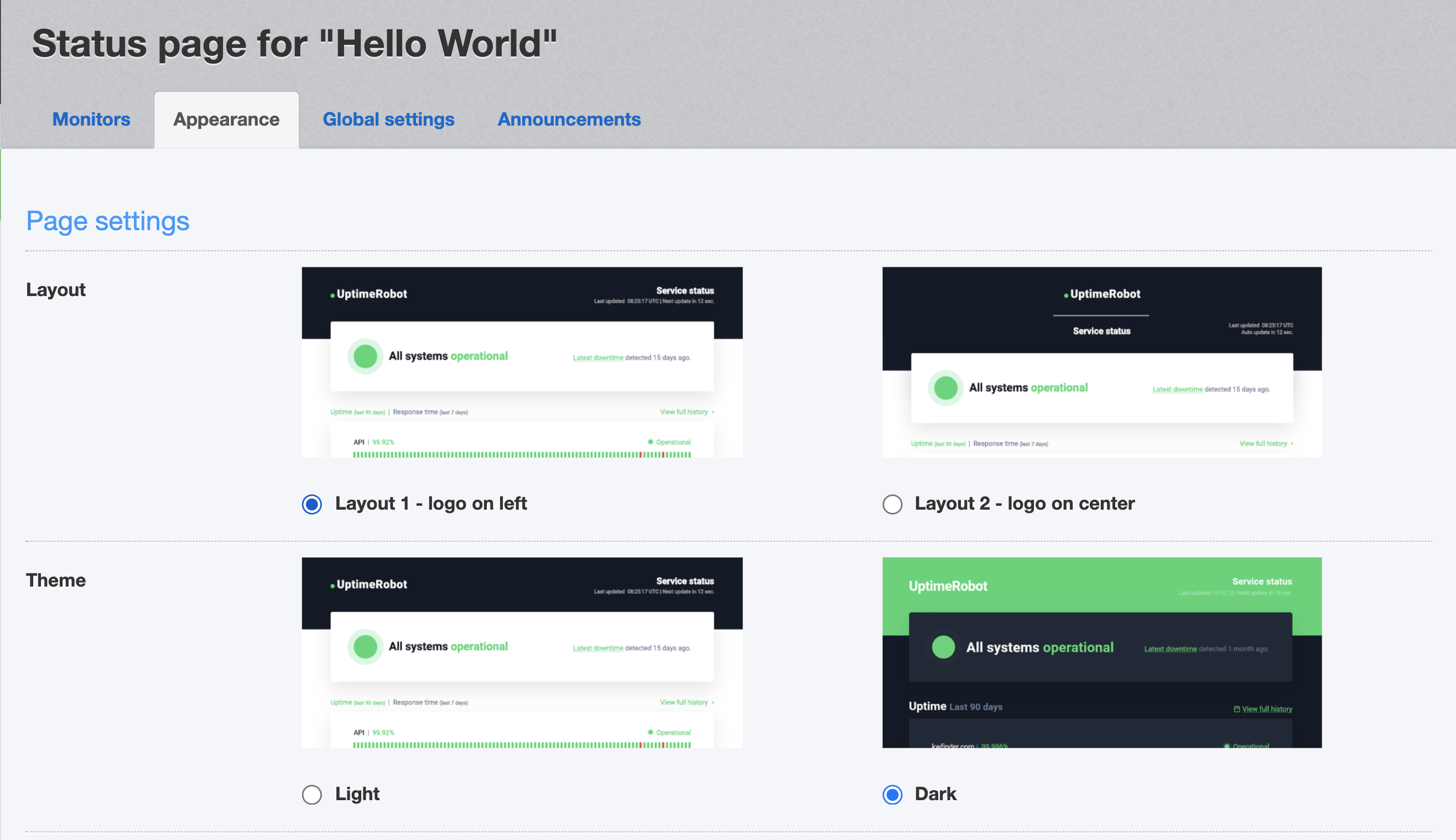
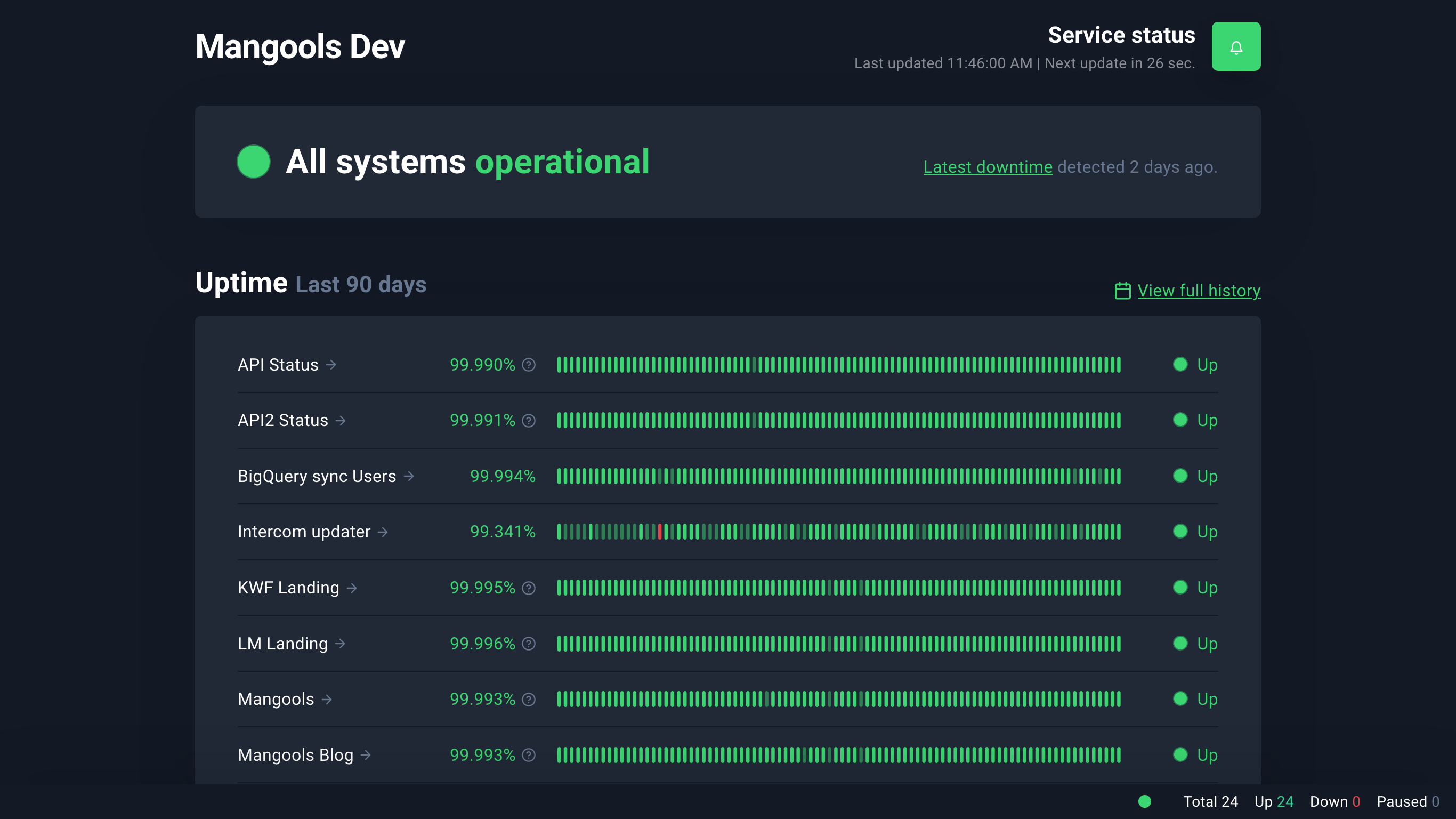
Don’t like the colors? Choose your own or even change a font family. Besides the custom logo, you can now also add your own favicon. There are two main layouts and two color schemes available. Yes, we did not forget the dark theme! There’s a compact layout available too, for those who need more density.
Here are the individual features you can turn on or off. You will find them under the Status Pages > Appearance settings:
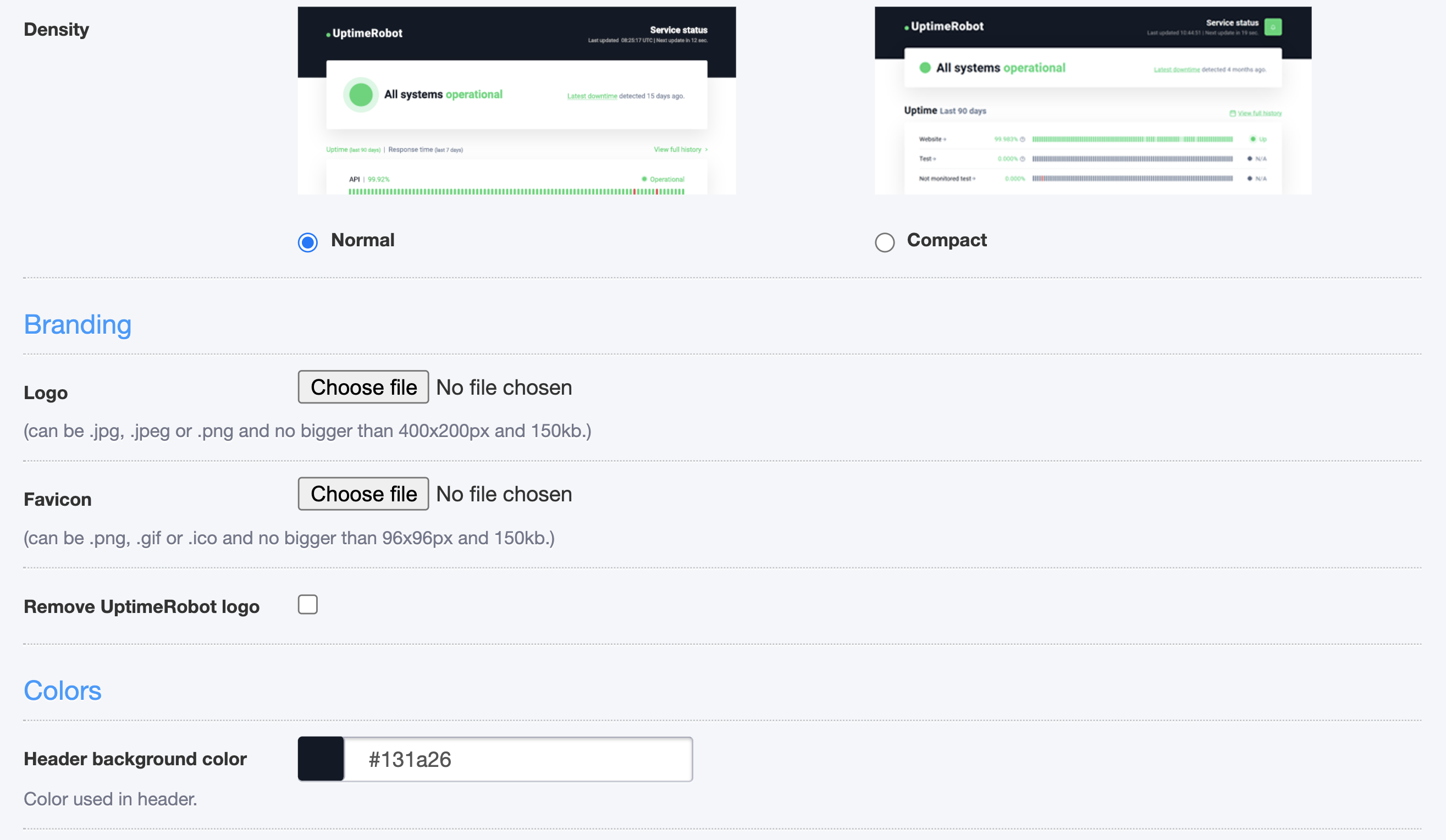
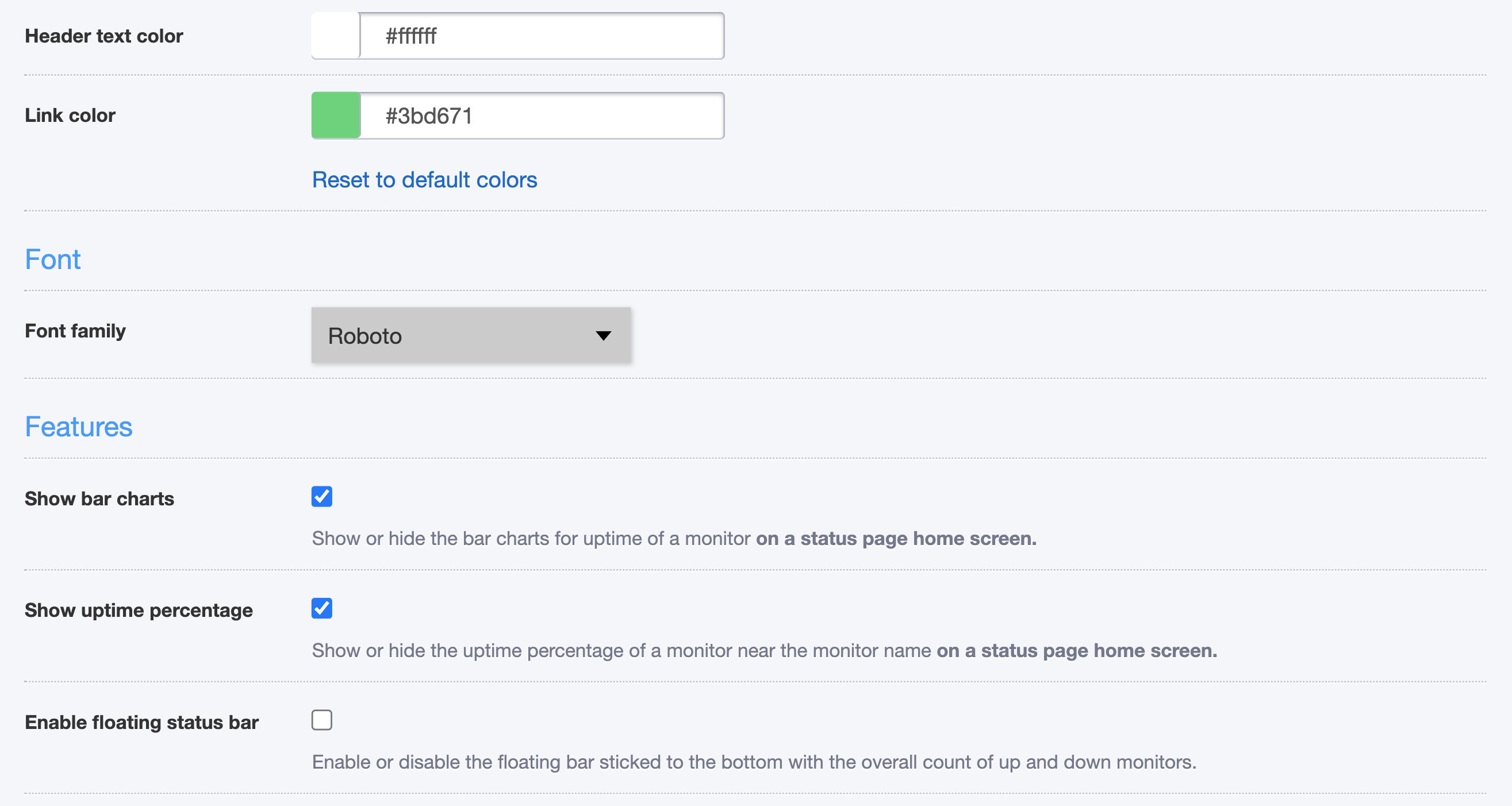
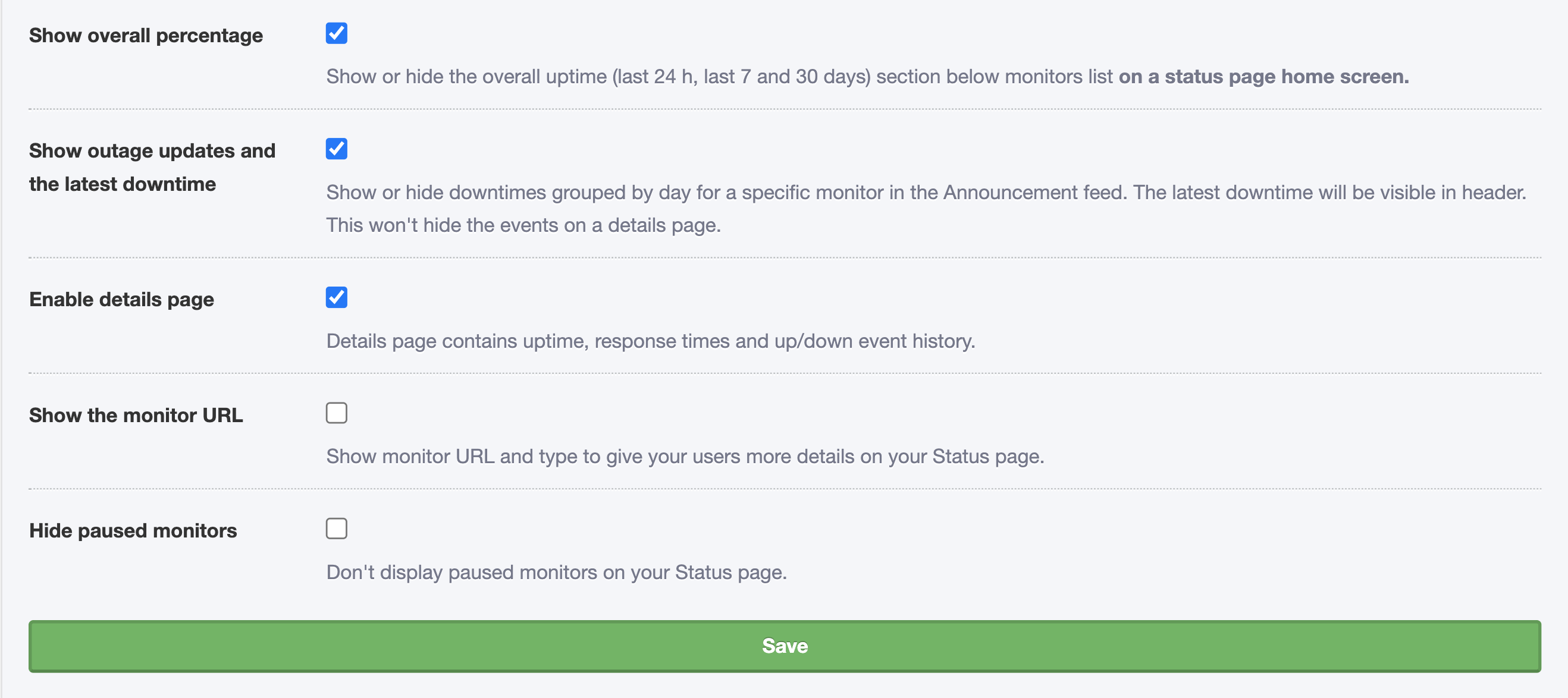
(Updated: 11th December 2020) As many of you asked for more density in the data shown, we have added the compact layout. You can also enable a floating bar showing the total number of your up/down/paused monitors:
Set up a Custom domain
One of the most beloved PRO plan features of our Status page is certainly the Custom domain you can use as we do on status.uptimerobot.com.
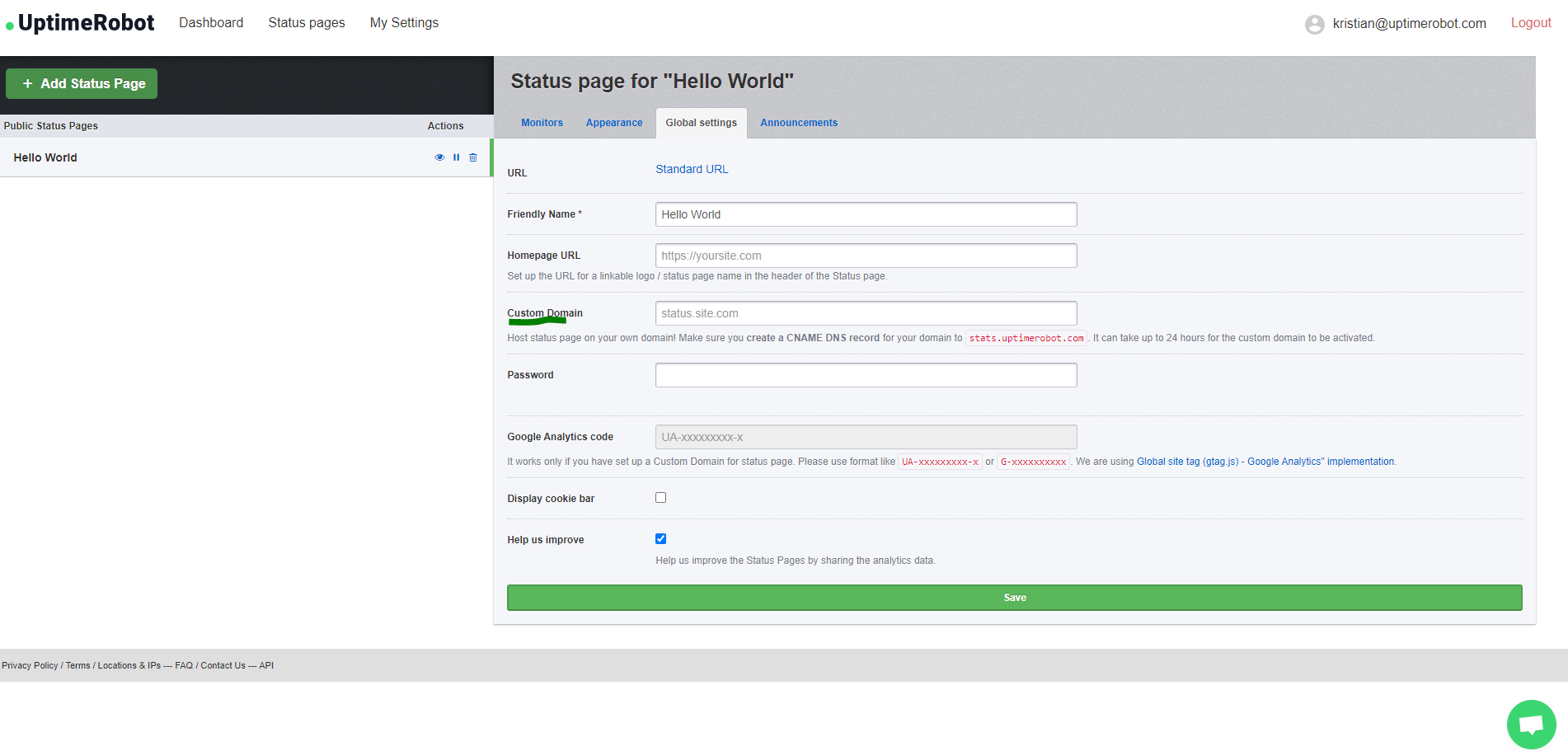
First, make sure the CNAME DNS record of your status.yourdomain.com is set and resolving correctly to stats.uptimerobot.com. This might take some time, so please, be patient.
You can set the Custom domain for your Status page when you log in to your account at UptimeRobot.com under “Status page” > “Global settings” > “Custom domain“.
Subscribe for the updates feature
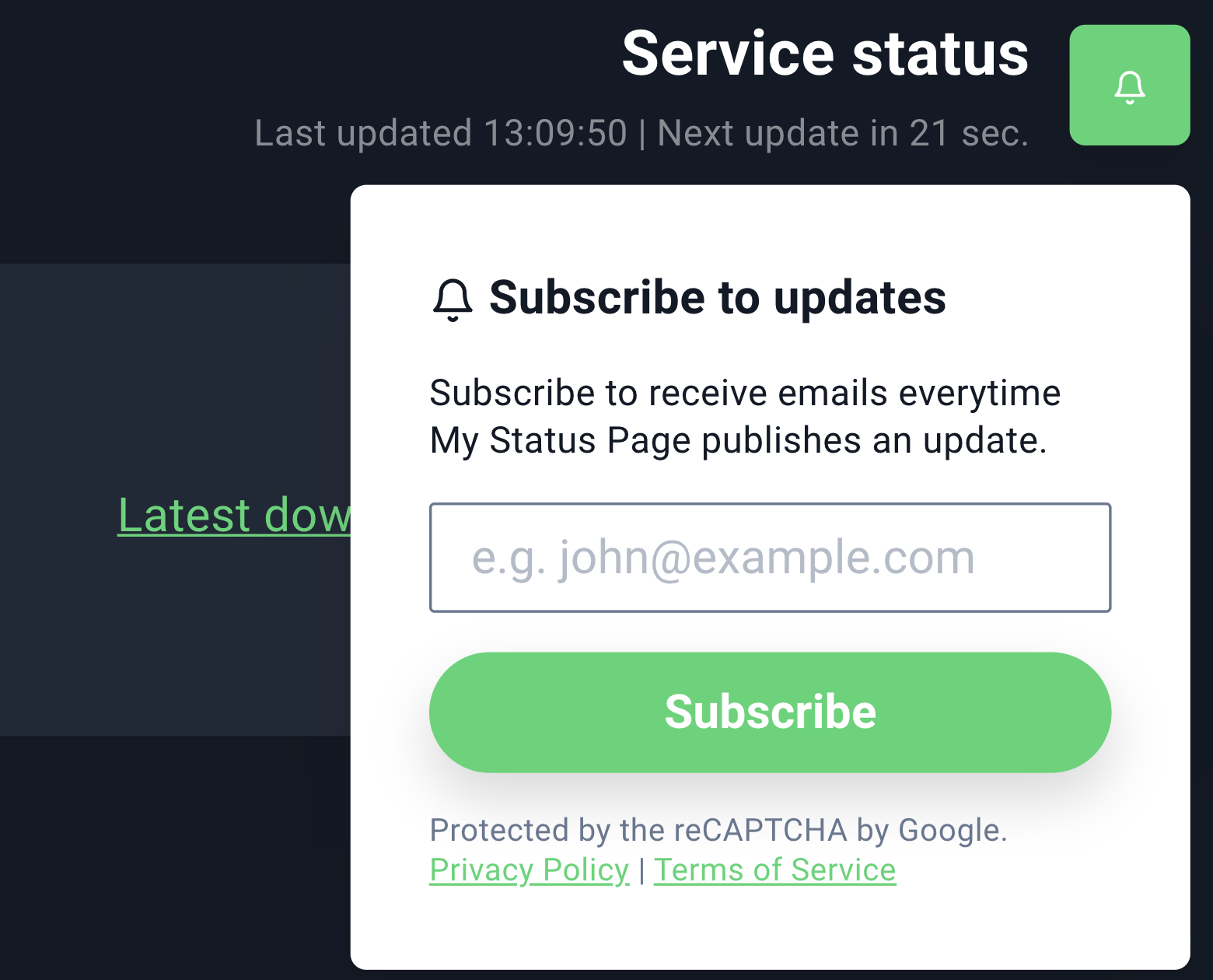
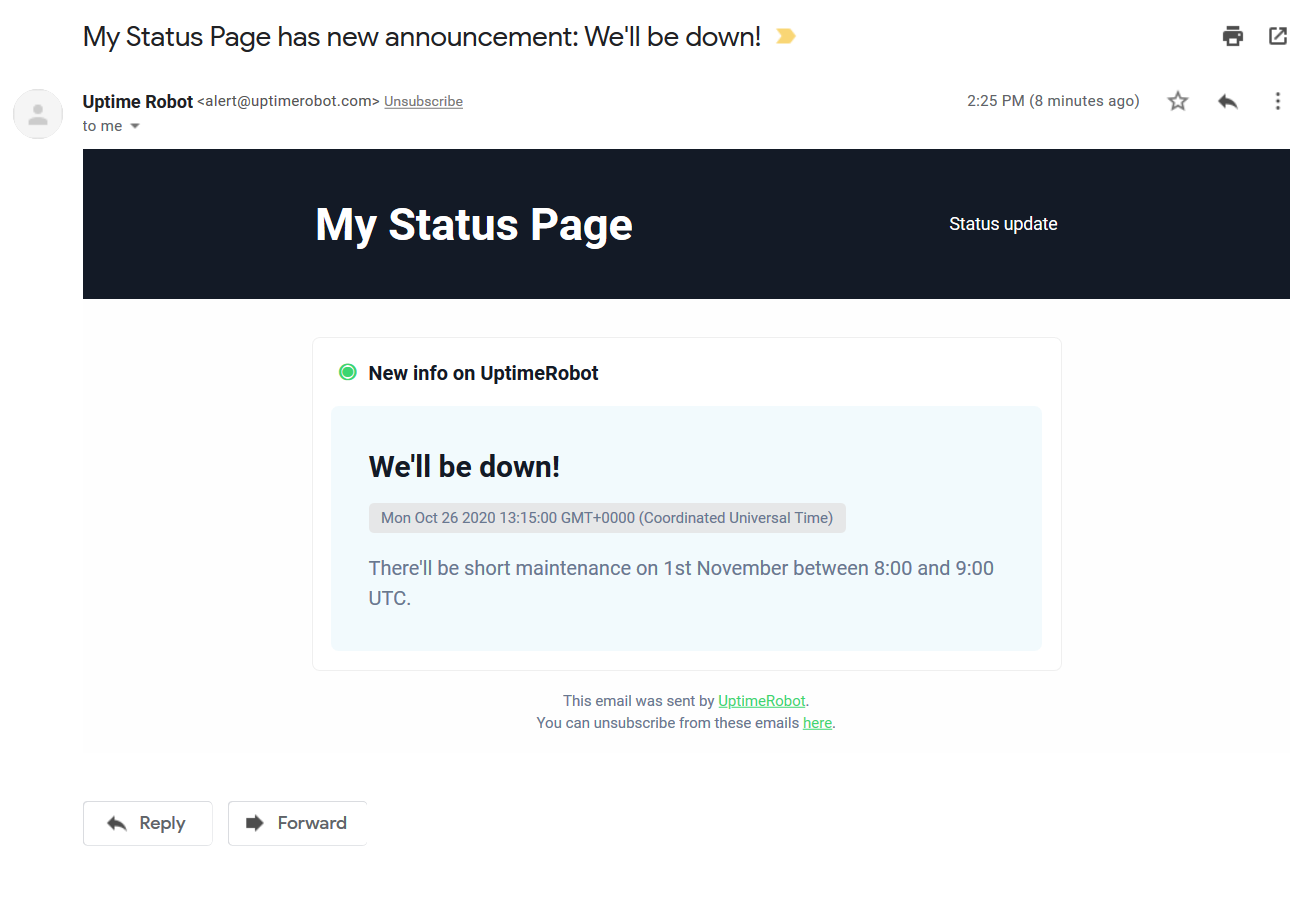
Allow anyone to subscribe and we will email them when you add an announcement or update to your status page. It will be sent within a short time window after the announcement is added (so you’ll have a chance to fix a potential typo).
You can enable this new feature under Status Pages > Announcements. You can also preview the email there.
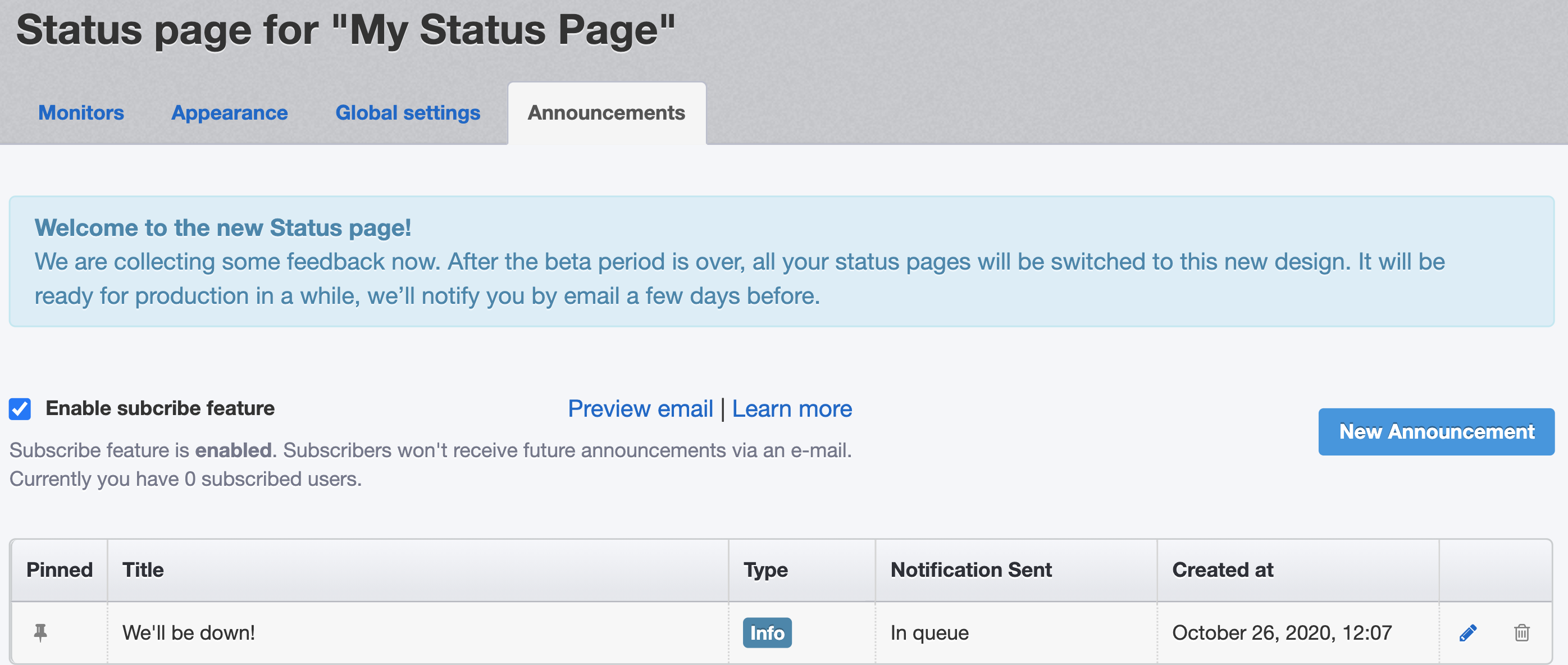
After you enable it, a subscribe button will appear in the top right corner of your status page:
Track your visitors using Google Analytics
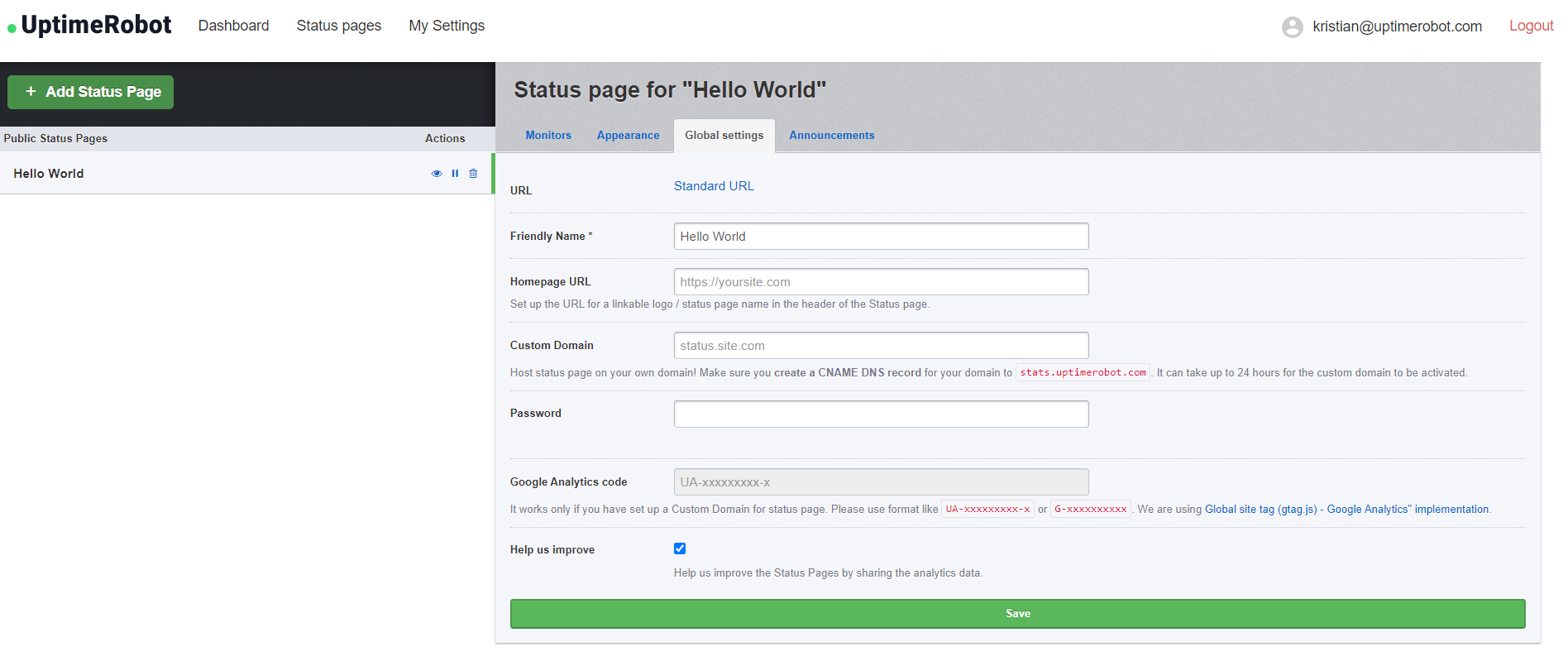
You can simply add your Google Analytics code under “Status page” > “Global settings”.
This is a PRO plan feature and you need to be using a custom domain.
Change the linkable logo/name URL
As you might notice on the previous screenshot, you can also set up the URL of your logo or status page name in the header of your status page.
Add your URL under “Status page” > “Global settings” and click on the Save button.
How can I add and remove password protection?
Protect your status page with a password if you prefer it private.
Simply enter the password under “Status page” > “Global settings”.
If you wish to remove the password, click on “Change password” – the field will be empty. Click on the save button and the password protection will be removed.
So, what do you think?
We’re pretty happy with the updates we managed to finish despite the harsh year we’re all having. We hope you’ll love them too. Also, our totally reworked mobile app will be ready soon.
Is there something missing in our new status pages? Don’t forget to share your opinions and suggestions in the comments section or reach out to us on Facebook, Twitter, or even via email at support@uptimerobot.com. Thank you all!