Uptime Robot, by default, sends all HTTP requests with pre-defined HTTP headers.
Now, it is possible to customize this totally with the “Custom HTTP Headers” feature that can be found in the Pro Plan’s “Add/Edit Monitor Dialog>Advanced>Custom Headers” option.
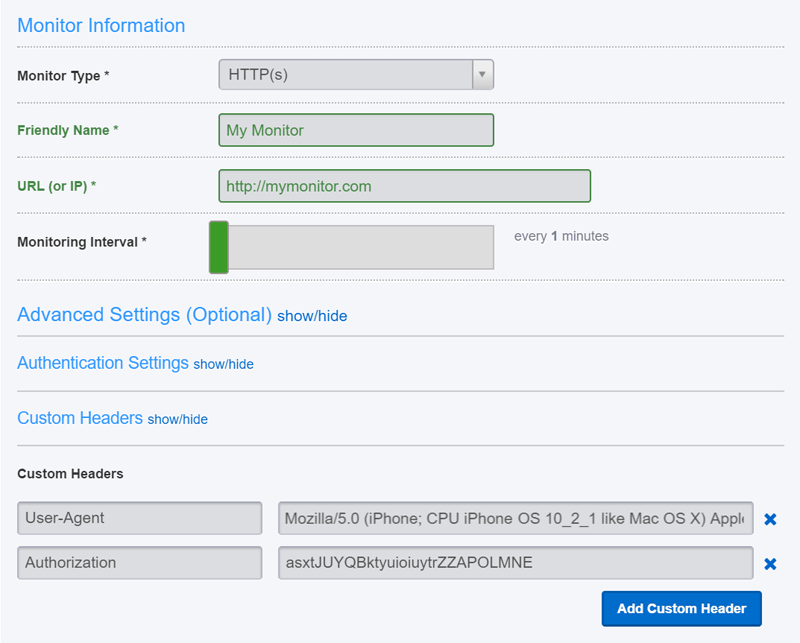
Sample use cases:
- For monitoring the mobile version of a web page, we can use a mobile “User-Agent” header to force the site to serve the mobile content.
- The site may be requiring/expecting various authorization HTTP Headers
- We may want to white-label the requests and change the User-Agent to a custom one
Hope it helps for a better monitoring :).