Blog.

Latest news about product, uptime monitoring, DevOps, observability and more...

Announcements

UptimeRobot June 2021 Update: SSL info in Dashboard, test notification setup and meta robots tag.

Written by Kristian Kusenda 360 words | 2 min read Updated Nov 12, 2025
0%

Last month was filled with news and we’re happy to report that we were able to finish the other three little features! Let’s take a look at them quickly so you can get back to enjoying the summer 🙂

SSL info in Dashboard

You can now see the SSL certificate details under each monitor in your dashboard right above the uptime bar. If it’s getting close to the expiration date, there will be an “SSL badge” next to the monitor name in the list on the left side.

Besides the expiration date, you can see the certificate issuer and the type. We will also include this SSL info in our mobile app later this year.

NOTE: Please make sure your URL has the “HTTPS” prefix in order to enable SSL features.
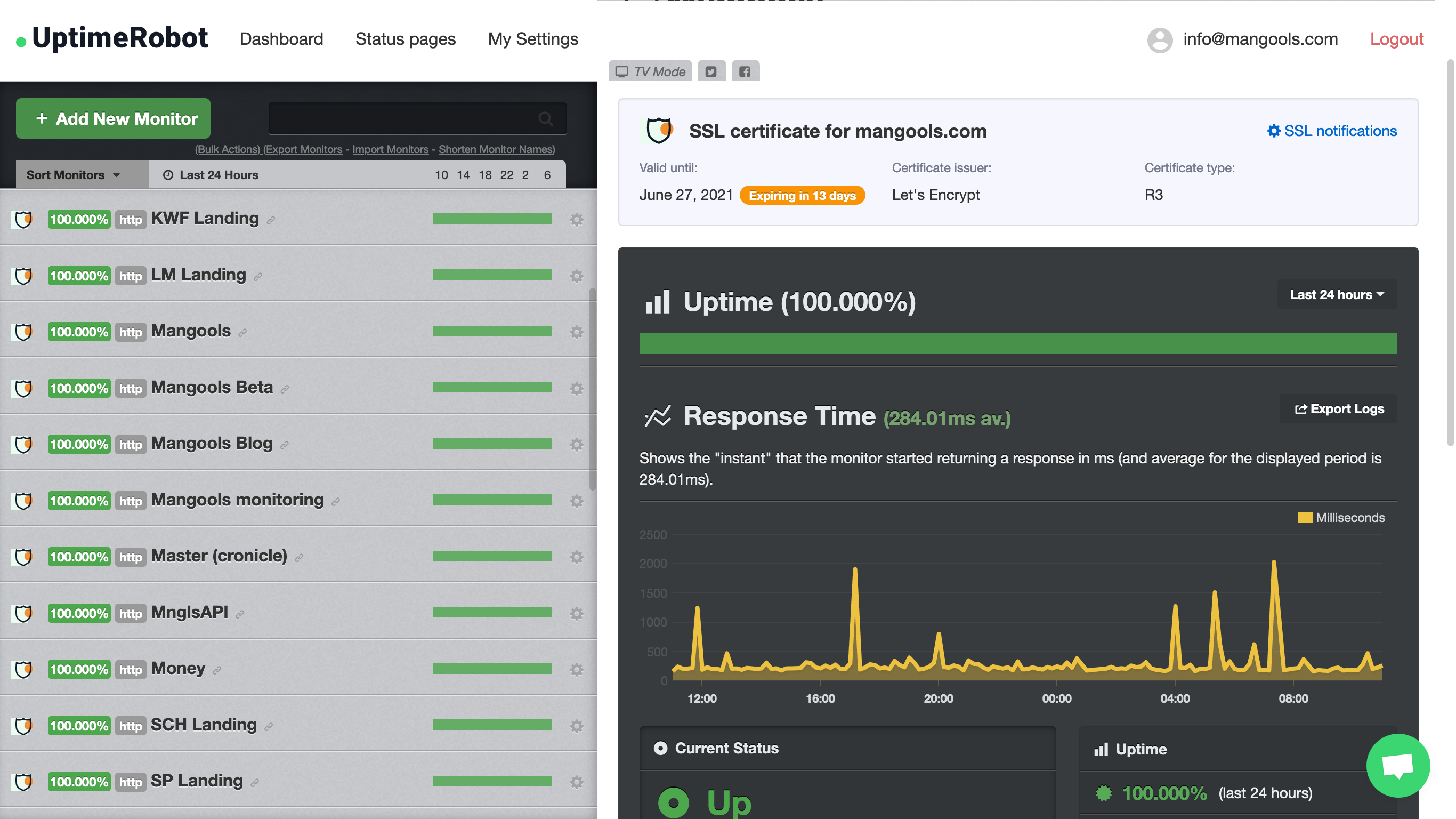
SSL certificate details
UptimeRobot
Downtime happens. Get notified!
Join the world's leading uptime monitoring service with 3.4M+ happy users.

Test notification setup

You can now test your notification setup for each specific monitor. This feature (which is in BETA so let us know if something doesn’t work properly) was requested by many and we believe it’s another step towards a more user-friendly experience and prevention of missed outages.

You’re able to double-check if the alert contacts are attached to the monitor, so you can make sure everything is working and test how both UP and DOWN notifications will behave. 
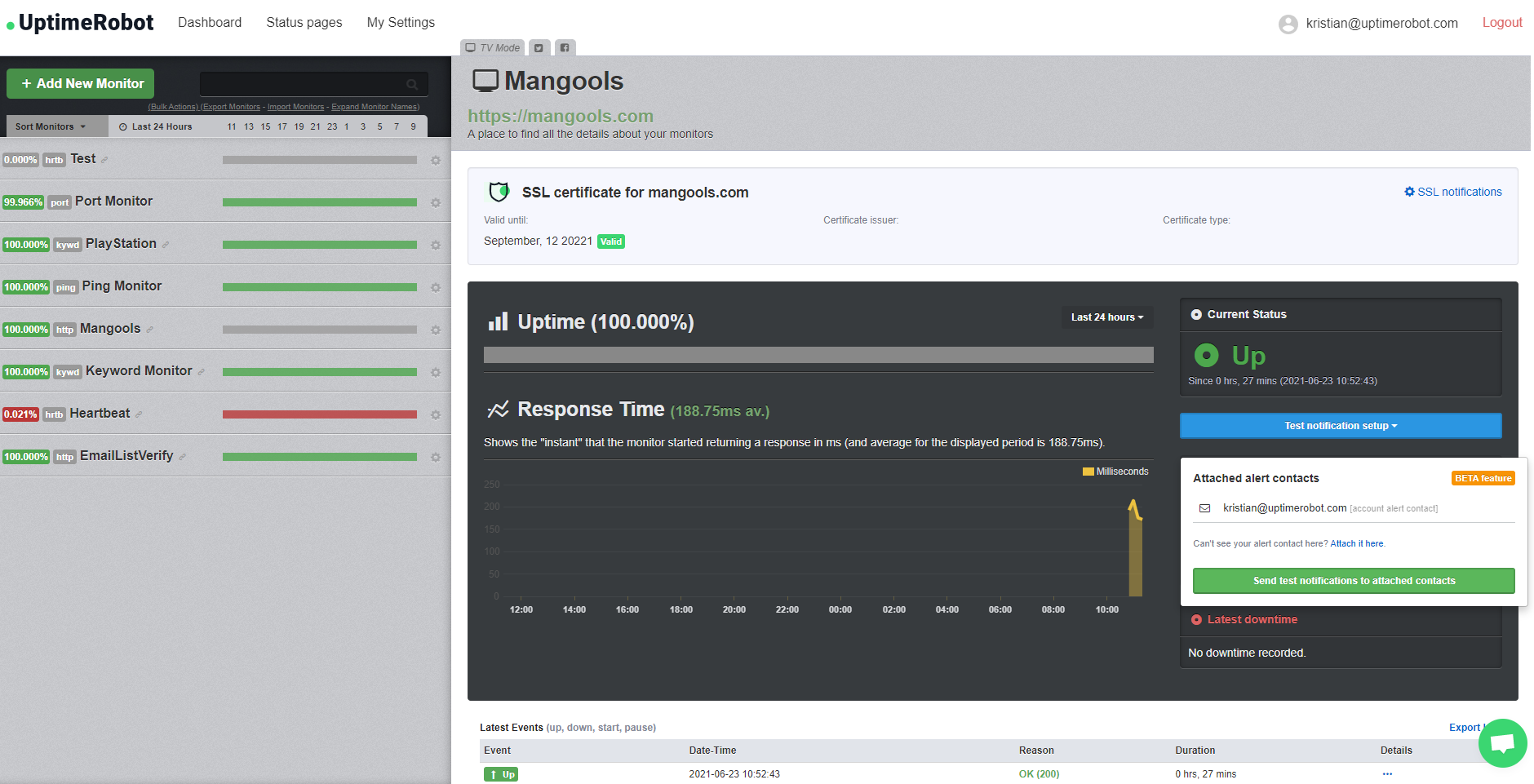
Test notifications feature

Customizable meta robots settings for Status pages

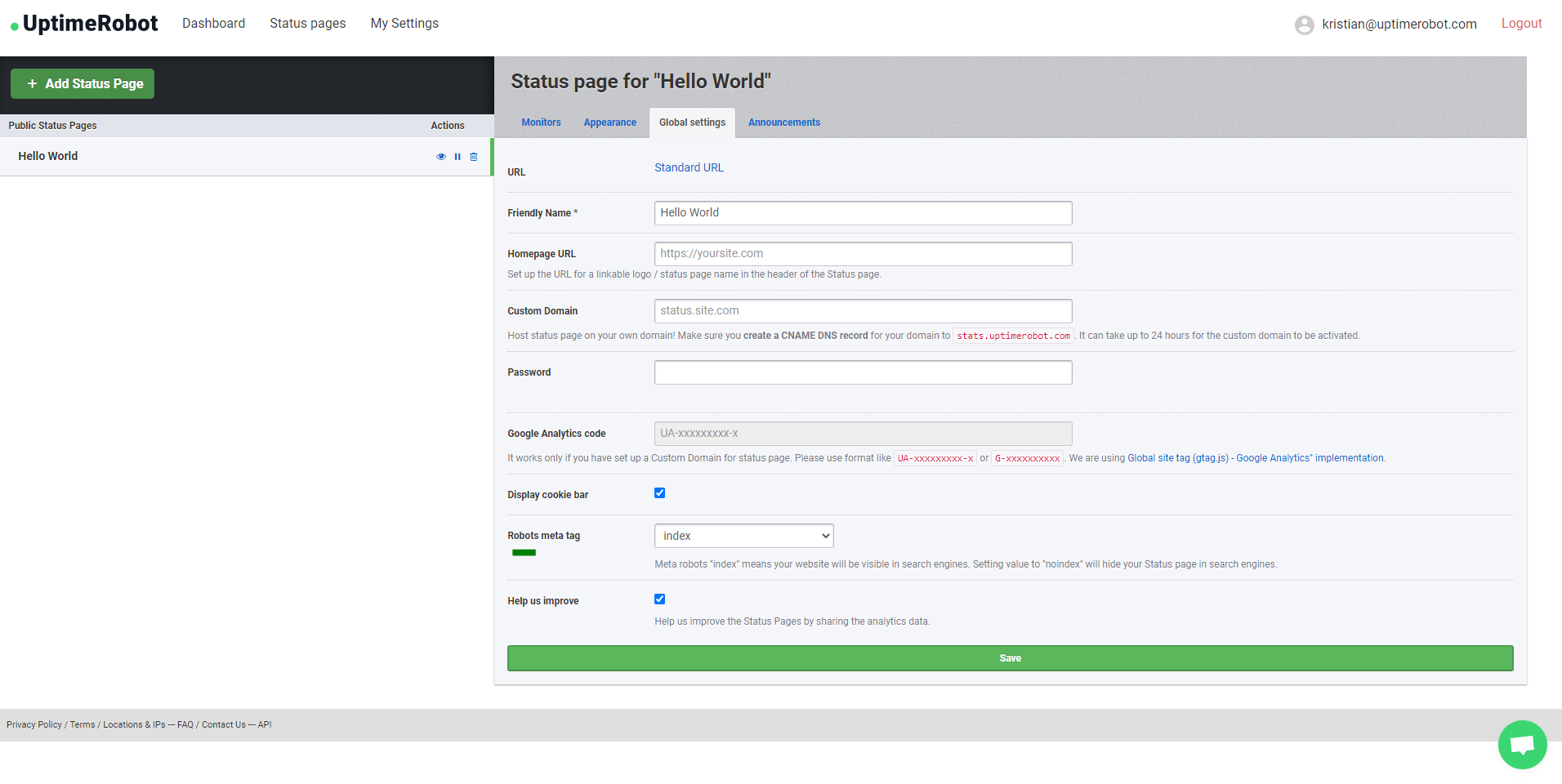
You can now decide whether your Status page will or will not be indexed and included in search engine results. Choose between “index” and “noindex” tags. Choosing the “noindex” tag will ask web crawlers not to index your Status page (this was the case until now).

This setting is available in Home > Status pages > Global settings > Robots meta tag

Customizable meta robots settings

We hope you’ll enjoy the new features. Share your feedback or suggestions with us in the comments section or let us know at support@uptimerobot.com. We’ll be happy to hear what else you’re missing. May the uptime be always green!


Start using UptimeRobot today.

Join more than 3.4M+ users and companies!

  • Get 50 monitors for free - forever!
  • Monitor your website, server, SSL certificates, domains, and more.
  • Create customizable status pages.
Kristian Kusenda

Written by

Kristian Kusenda

Marketing and Content Specialist |

You may have seen his name signed under UptimeRobot emails, where he started as a Customer Support Agent and Community Manager. Currently, he’s part of the marketing team, managing content and other marketing tasks, projects, and collaborations. Thanks to these experiences, Kristian knows UptimeRobot from every angle. He adopts a hands-on approach in providing support to our team and loves to engage with the UptimeRobot community. He also has some basic knowledge of CSS and Adobe tools and likes to help out with design-related tasks or updating and optimizing our landing pages. Outside of work and during weekends, he’s working on his bachelor’s degree in psychology and aspires to become a therapist. He’s passionate about painting and movement, experimenting with physical and mental health hacks, and continually seeking ways to improve and optimize. Kristian also loves hiking, traveling around the world, exploring new meals, drinking good wine, and reading great books.

Questions? Contact Support
Feature suggestions? Share

Recent Articles