Customizing monitors one-by-one is not a problem when there are few of them but things get complicated when there are many.
The older Uptime Robot interface had the ability to start/pause/delete monitors in bulk and the new look was missing this feature.
We have just added this feature with more options. Now, it is possible to apply these actions to all monitors at once:
- pause all monitors
- start all monitors
- delete all monitors
- change intervals of all monitors
- change alert contacts of all monitors
The feature can be reached from the “Bulk Actions” link just under the “Add Monitor” button at the left side menu.
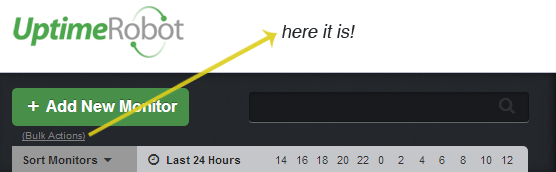
Hope it helps using the interface much faster.